From signed contract to closing day, handled.
The hardest part of a deal isn't finding the buyer. It's the dozens of dates, documents, and follow-ups between contract and close. Riva reads your contracts, builds the timeline, and keeps every client moving.
Riva reads the contract so you don't have to.
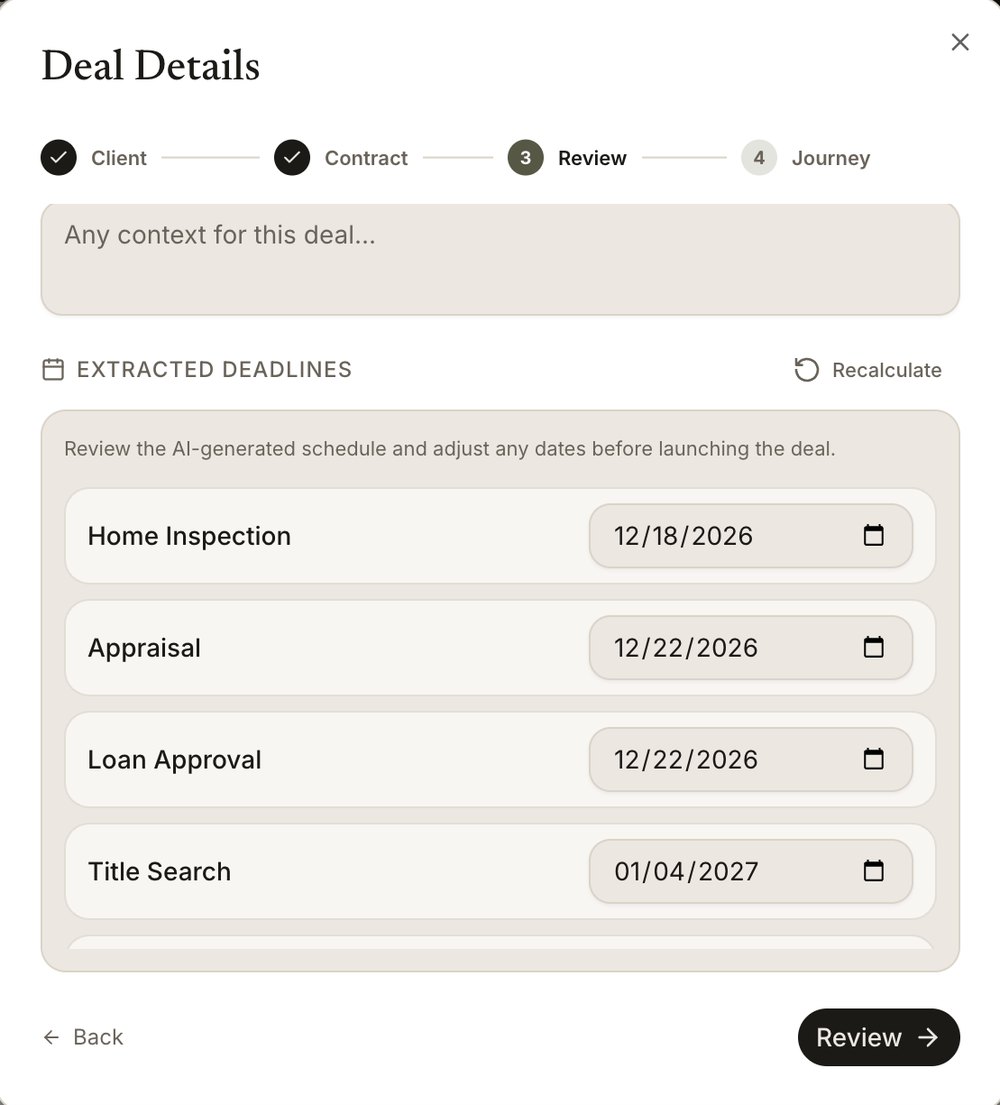
Upload an executed purchase agreement and Riva's AI reads every page, pulling out the key terms, contingencies, and critical dates in seconds. Inspection periods, financing deadlines, appraisal windows, and the closing date are extracted automatically and surfaced where you'll actually see them, cutting hours of manual review down to a quick review.
One workflow that runs the deal for you.
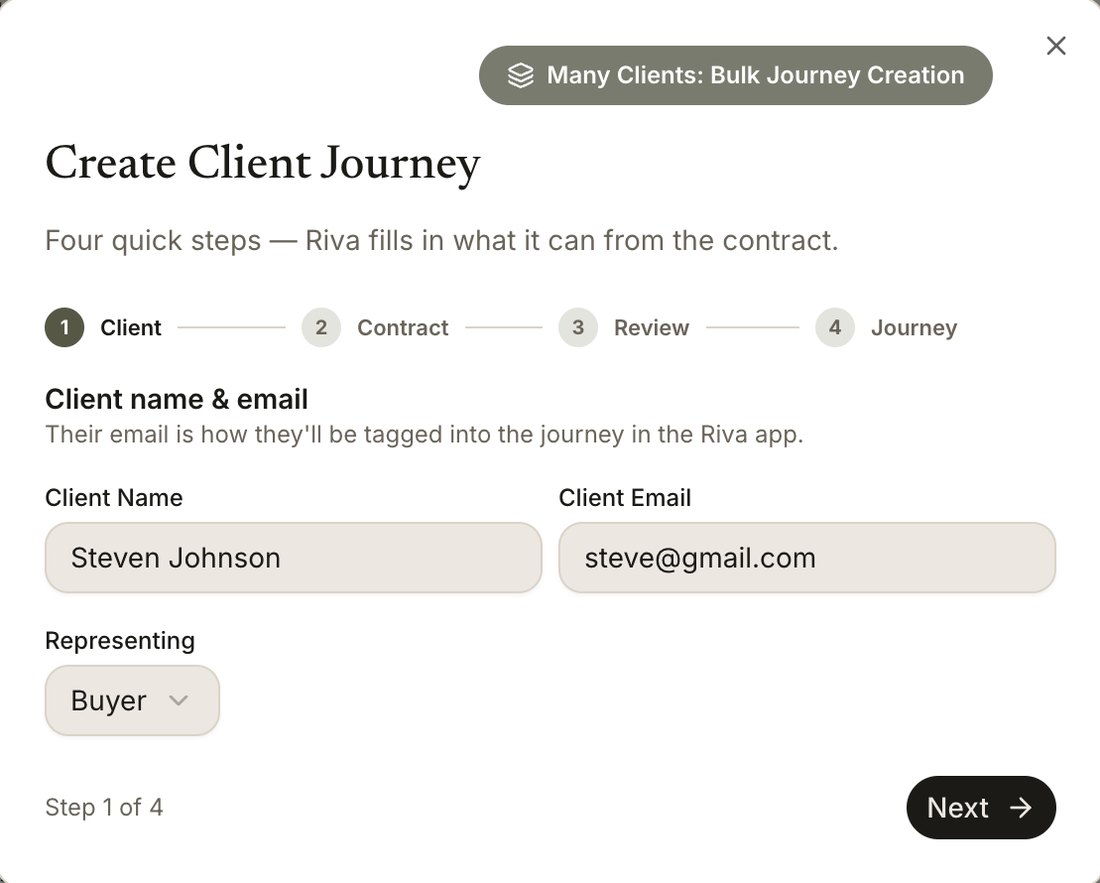
Once the contract is parsed, Riva turns it into a living timeline, automating the reminders and tasks that usually eat your evenings. It starts with Create Client Journey, the first button on your dashboard.
Add your client
Enter their name and email and choose who you're representing. Their email is how they get invited into the journey on the Riva app, where they'll see every step you set.
- Buyer or seller, one flow
- Many clients? Bulk-create journeys in one upload
Drop in the contract
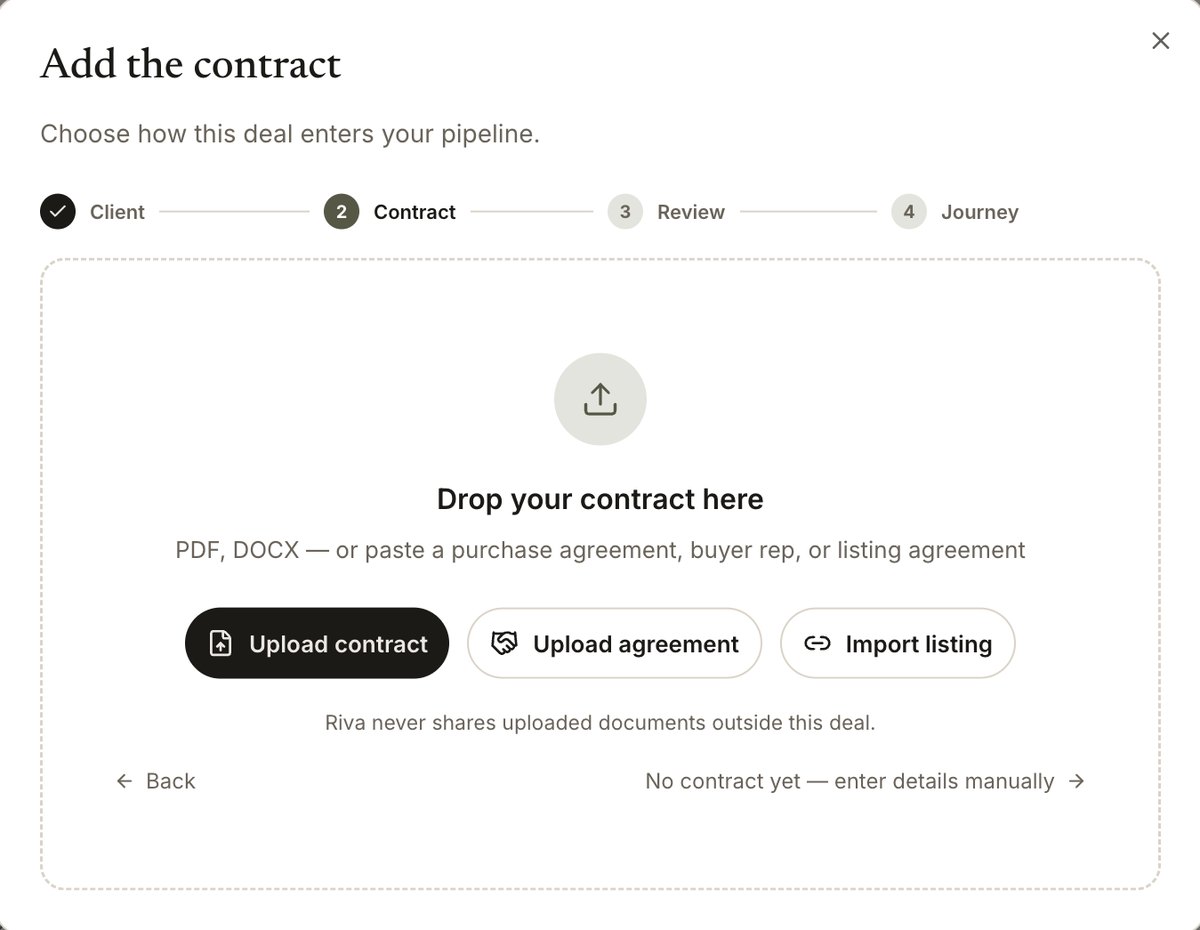
Upload a purchase agreement, buyer rep, or listing agreement as a PDF or DOCX. Riva reads every page and pulls the address, price, parties, and each contractual deadline.
- Or import a listing link
- No contract yet? Enter details by hand
- Uploads never leave the deal
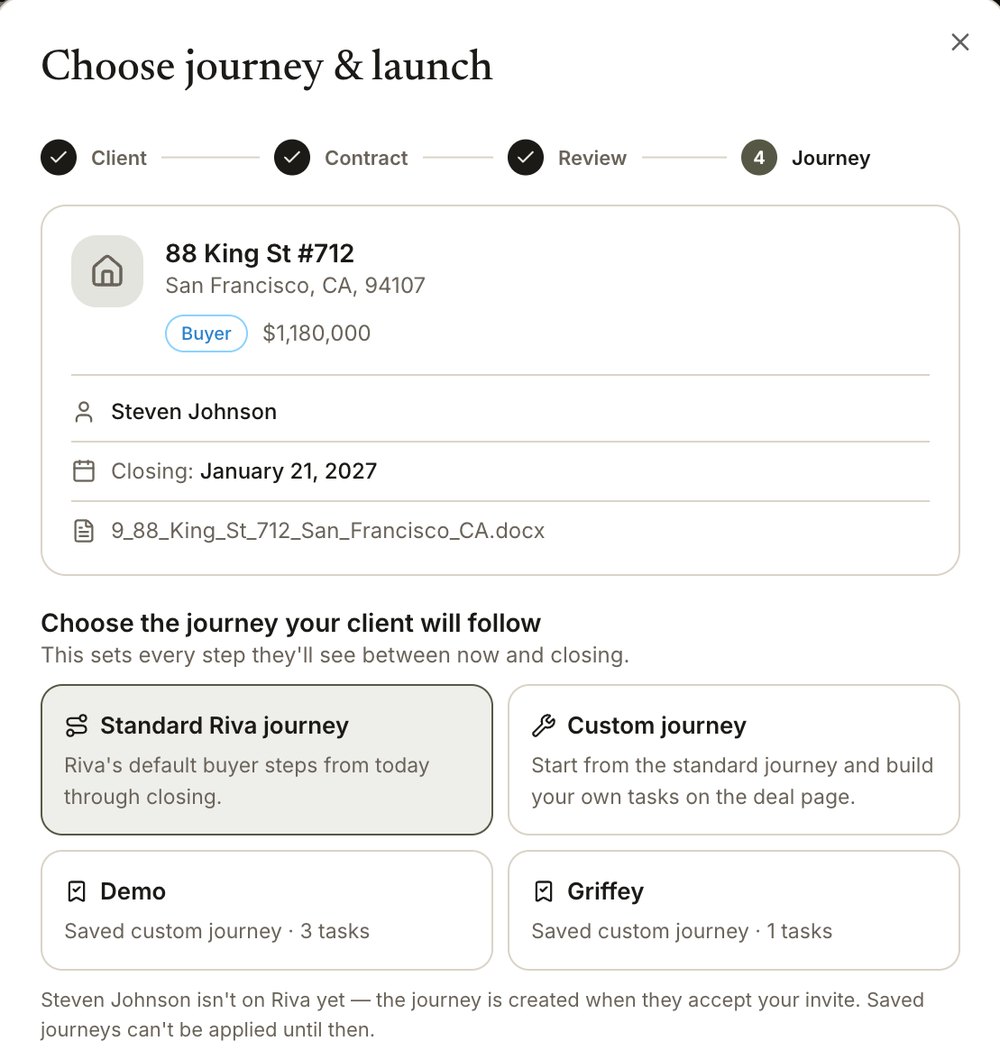
Review, then launch
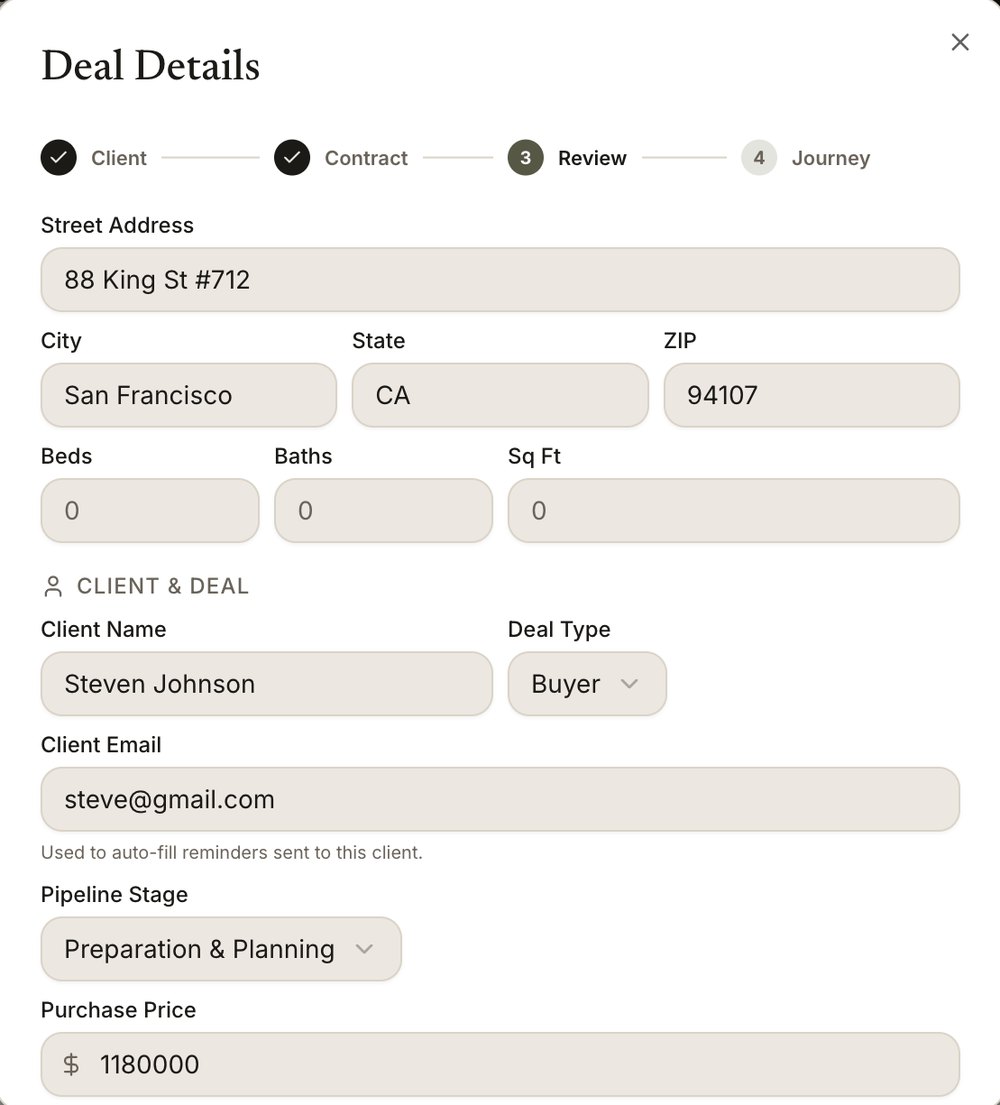
Nothing goes live until you've checked it. Confirm what Riva extracted, adjust any date, and choose the journey your client will follow from today through closing.
Address, client, deal type, pipeline stage, and purchase price, filled in from the contract.
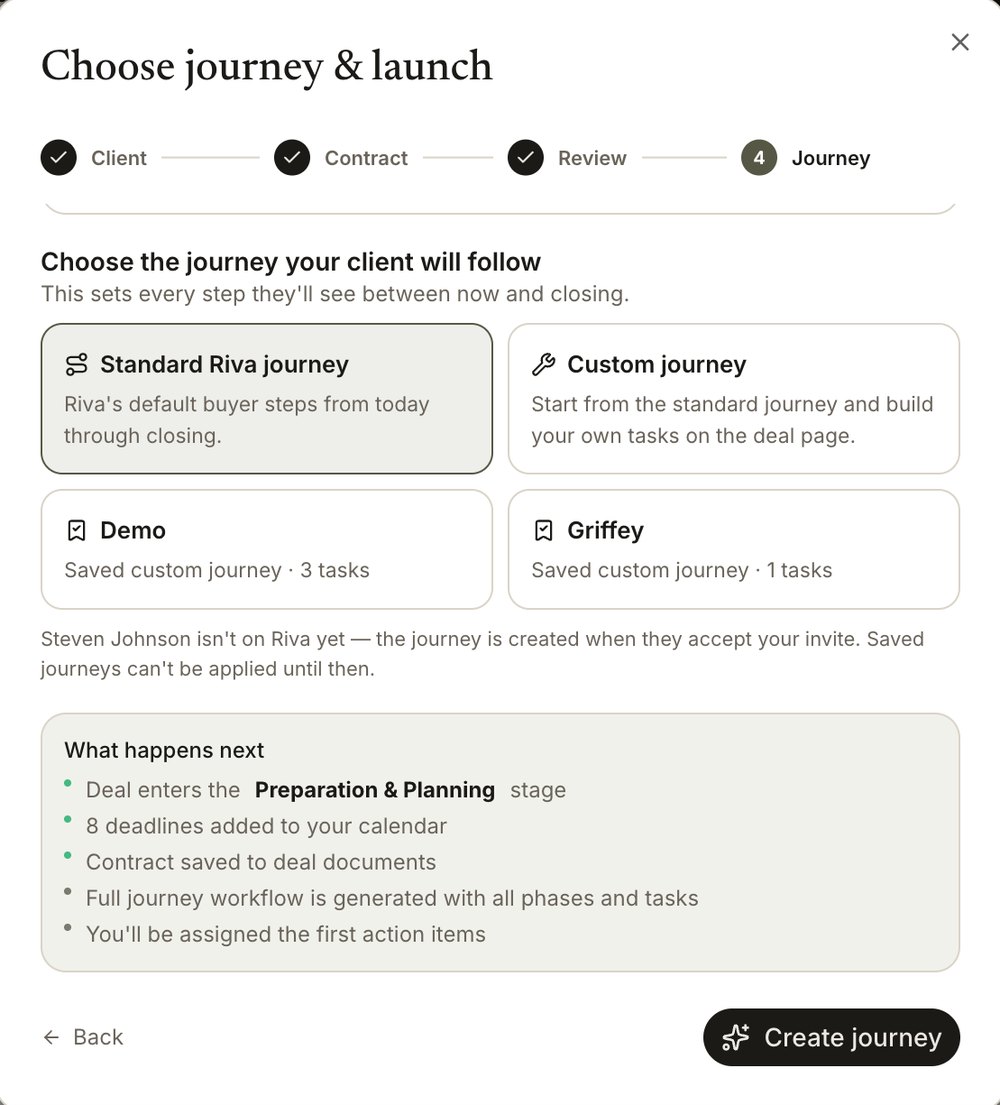
After you click Create journey
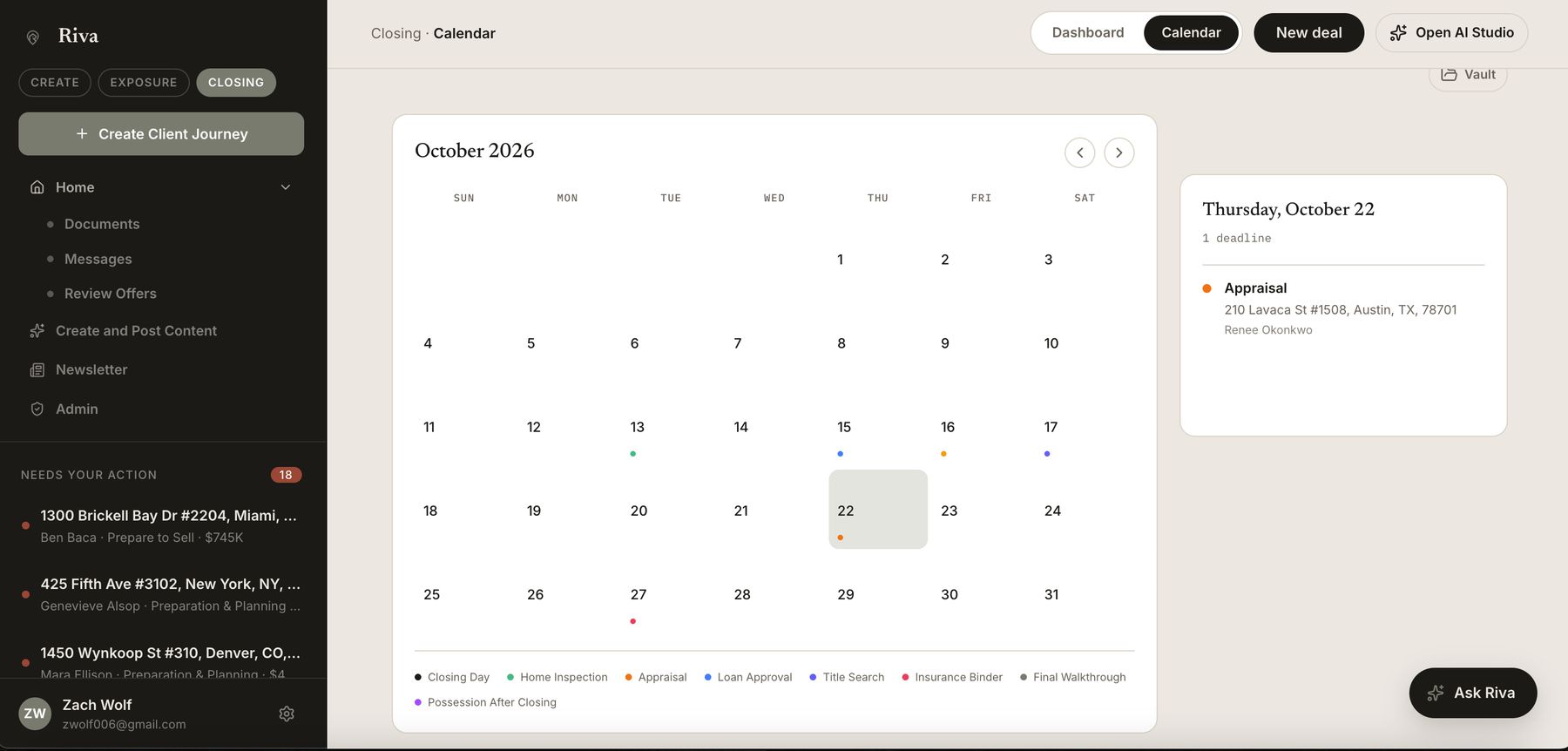
Every deadline lands on your calendar.
Inspection, appraisal, loan approval, title, insurance, walkthrough, closing. Riva places each date from the contract on one color-coded calendar. Click any day to see what's due and for which client.
Then, on your dashboard
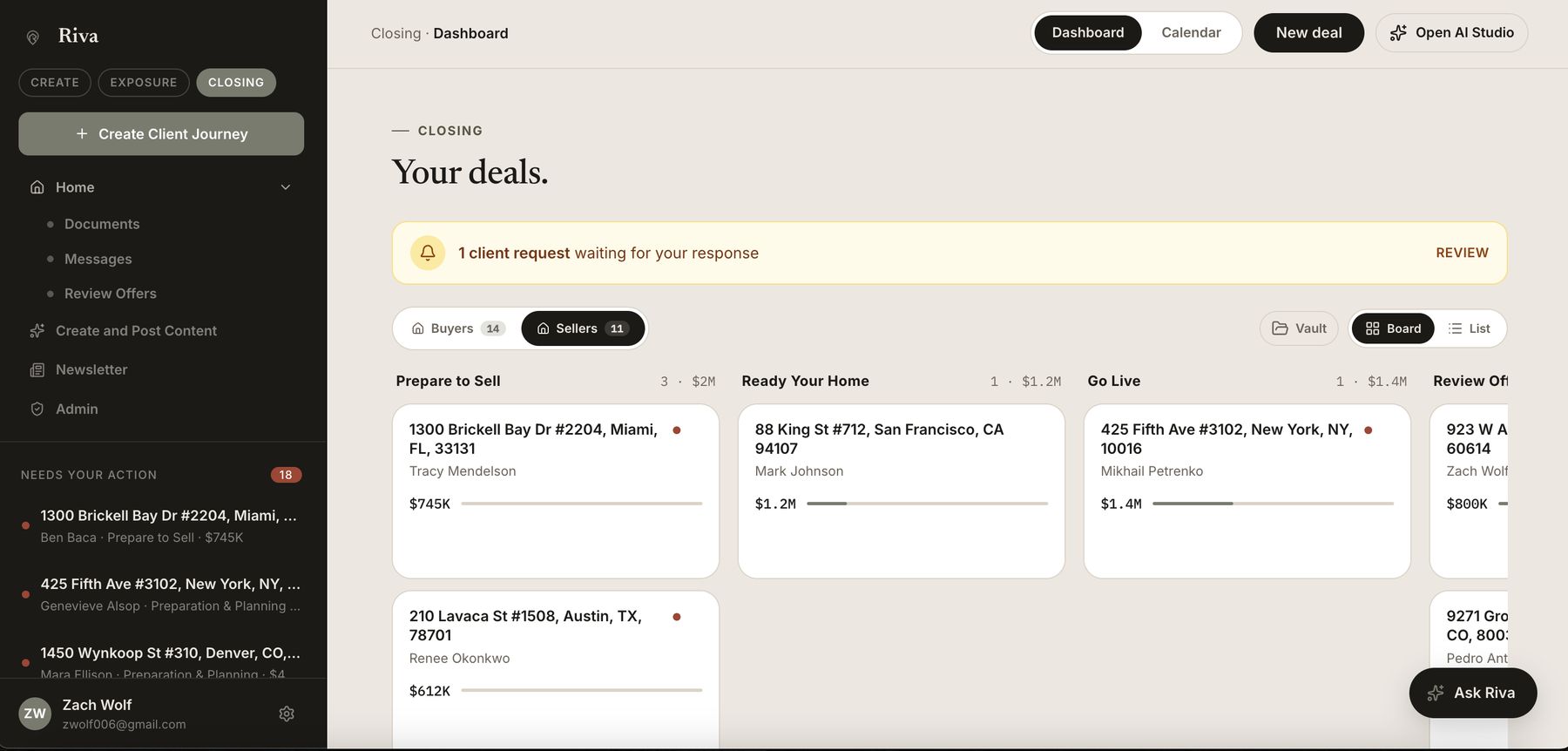
And every deal lands on your board.
Buyers and sellers, each stage from preparing to sell through reviewing offers. See what's done, what's due, and what needs you, across your whole book of business.
Deadlines populated for you
Every date Riva reads from the contract becomes a tracked milestone on your deal timeline. No manual calendar entry, no missed contingency.
Auto-reminders to clients
Riva sends timely reminders to buyers and sellers as deadlines approach, so you're not chasing signatures and documents one text at a time.
Clients complete their own tasks
Buyers and sellers get a clear checklist of what they owe and when, uploading documents and checking off tasks themselves, with progress synced back to you.
Every deal, at a glance
See exactly where each transaction stands, what's done, what's due, and what's at risk, across your whole book of business in one view.
Let Riva handle the busywork between contract and close.
The contract parsing tool and agent dashboard live on the Riva website. Sign up to put your next deal on autopilot.